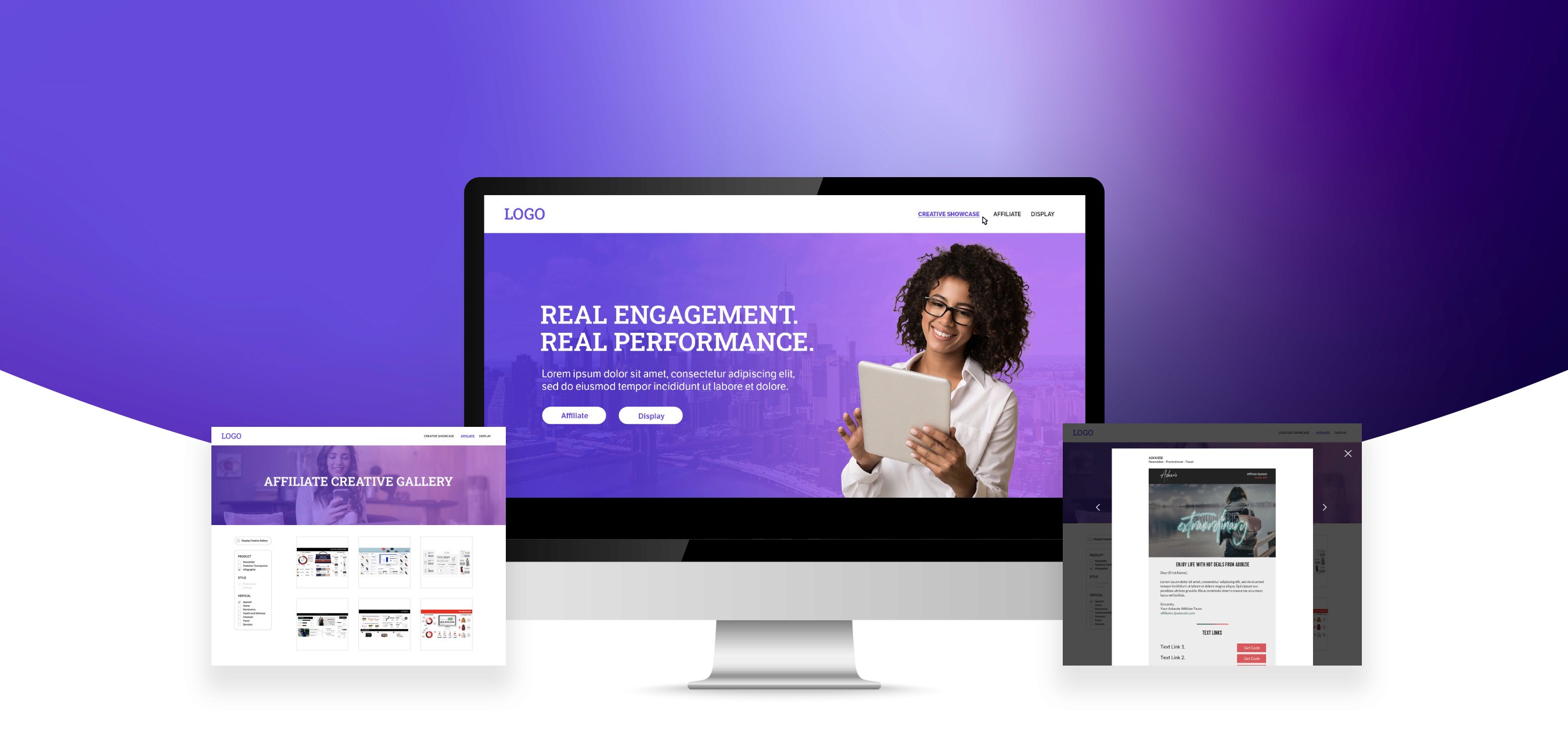
UX/UI
B2B Creative Showcase
Elevating client relationships through a strategic creative services platform



The Problem
Affiliate marketing depends on strategic recruitment, ongoing communication, and nurturing partnerships. Our sales team noted that they had lost deals to competitors who could easily and instantly showcase the breadth of their company's creative capabilities.
How might we effectively showcase the breadth of the company’s creative work to prospective clients to support sales conversations?
The Solution
A team of 8 creatives collaborated to design and build a creative microsite with these core business objectives:
Educate: Effectively explain how creative assets are used throughout affiliate and display marketing
Acquire Clients: Attract prospective clients with compelling creative work
Expand revenue: Enable upselling opportunities by showcasing creative capabilities
Sales Efficiency: Reduce pitch preparation time
Meet Jay from the sales team.

Jay needs to make a pitch deck for a prospective client.

Oh no! Jay can't find the creative assets he wants to showcase. All of his material is on outdated decks, and out of date.

He messages the Creative team, but is told he needs to create a ticket and the request will take several days.

Jay wishes there was a resource he could share with prospects to save time and effort.
Pain points
The sales team didn't have general access to the latest creative samples, let alone samples across different channels (Affiliate & Display)
They were often working from outdated material and mismatched slides, making their decks look unprofessional
Competitors were converting the deals the sales team had followed for months
Information Architecture
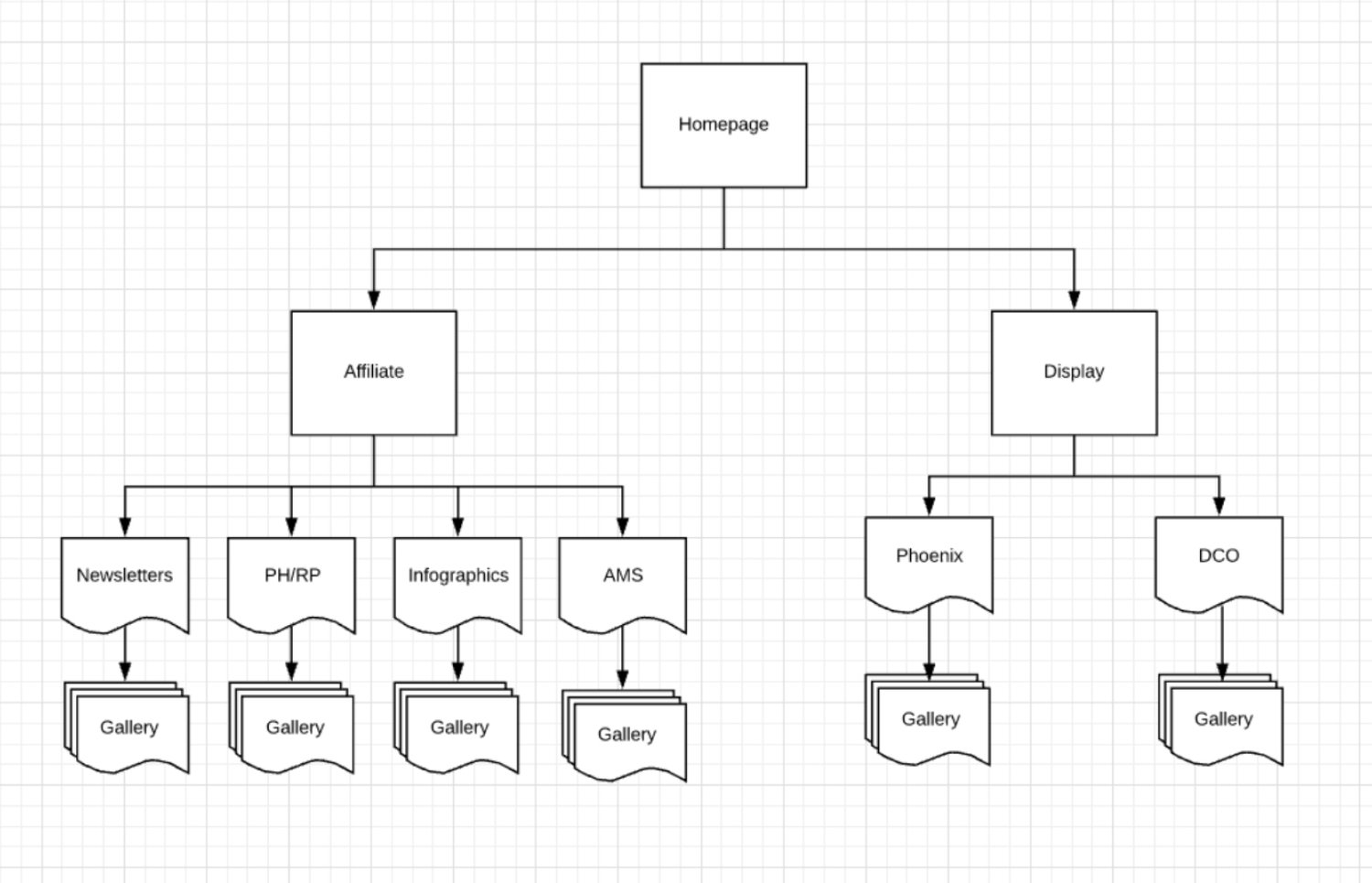
This service-focused sitemap organizes content by communication channels, linking to dedicated galleries.
This structure made it intuitive for clients to find relevant creative examples for their specific needs.
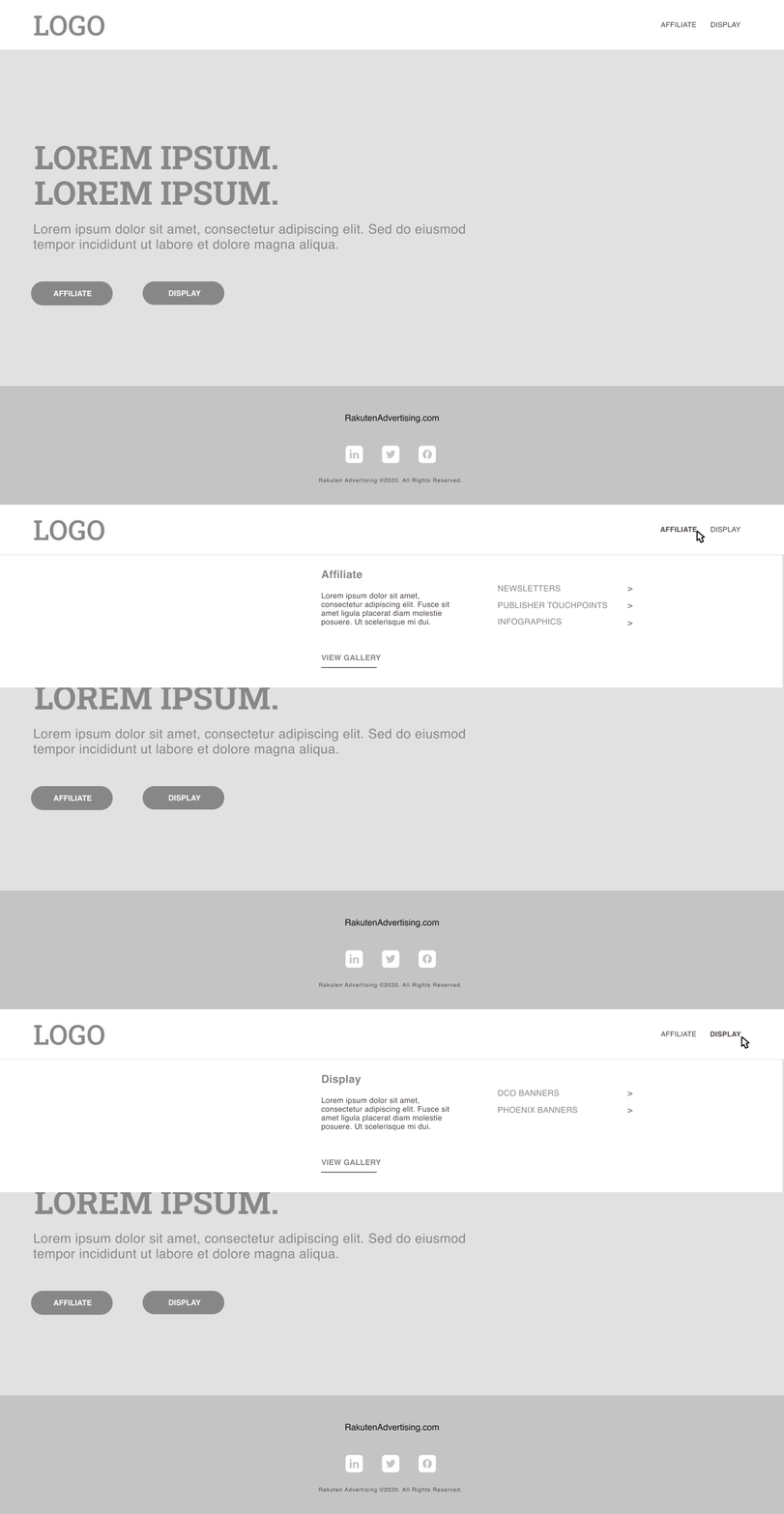
Homepage
Basic structure mirrors the public website to maintain consistency
Branding will follow the latest company branding
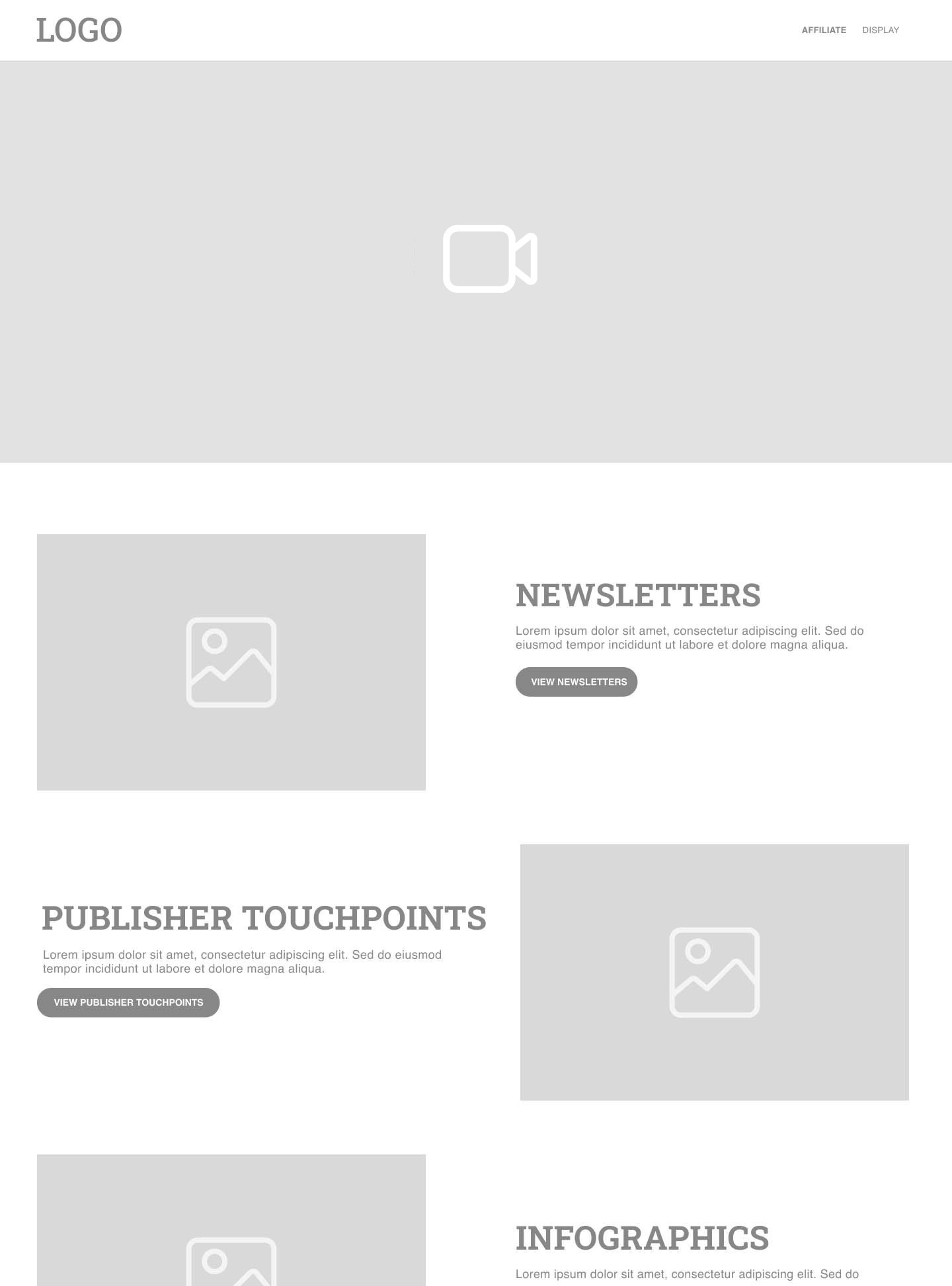
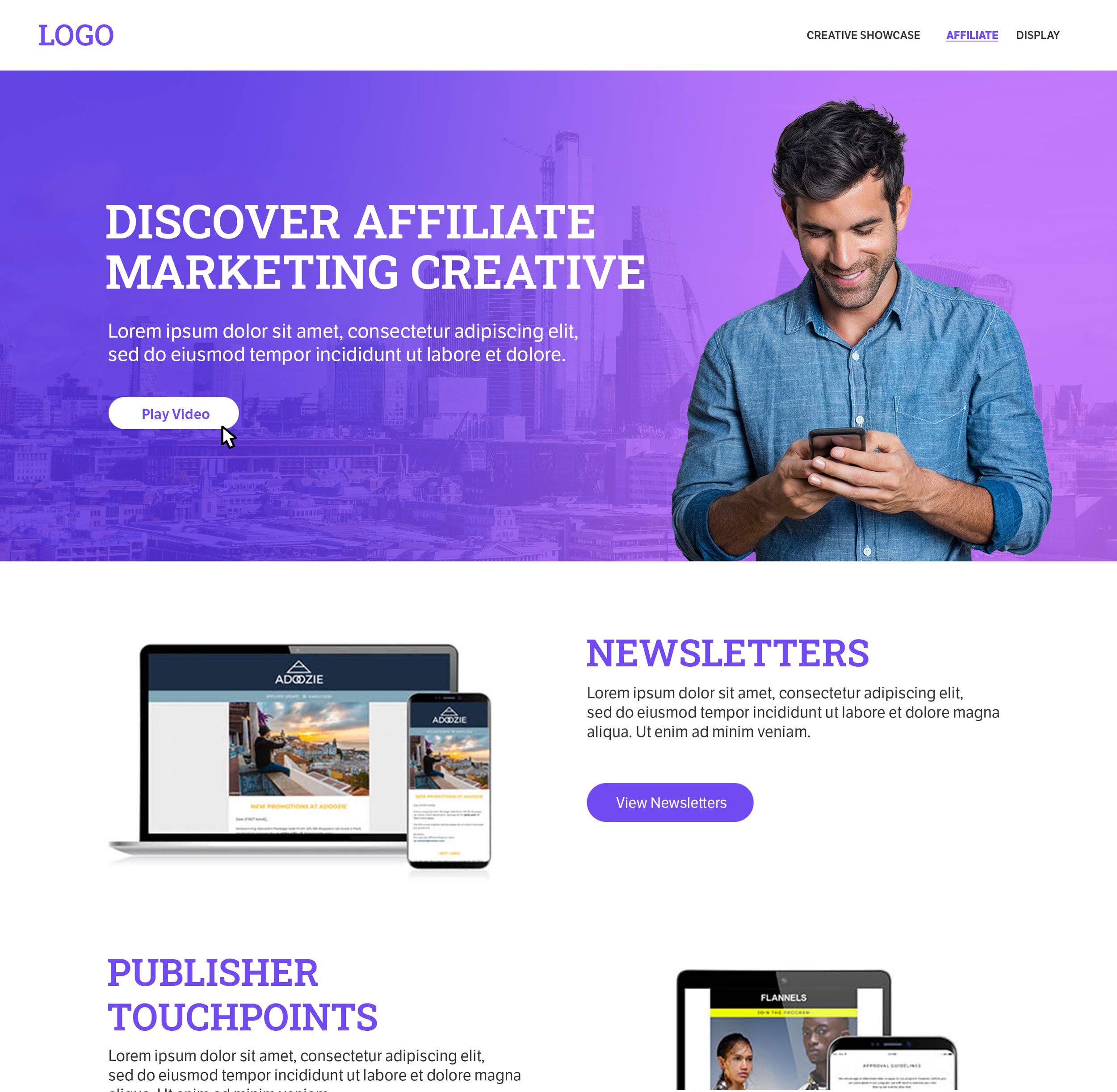
Service overview pages
Hero sections are designed for informational videos
Clear presentation of creative offerings each linking to the relevant gallery samples
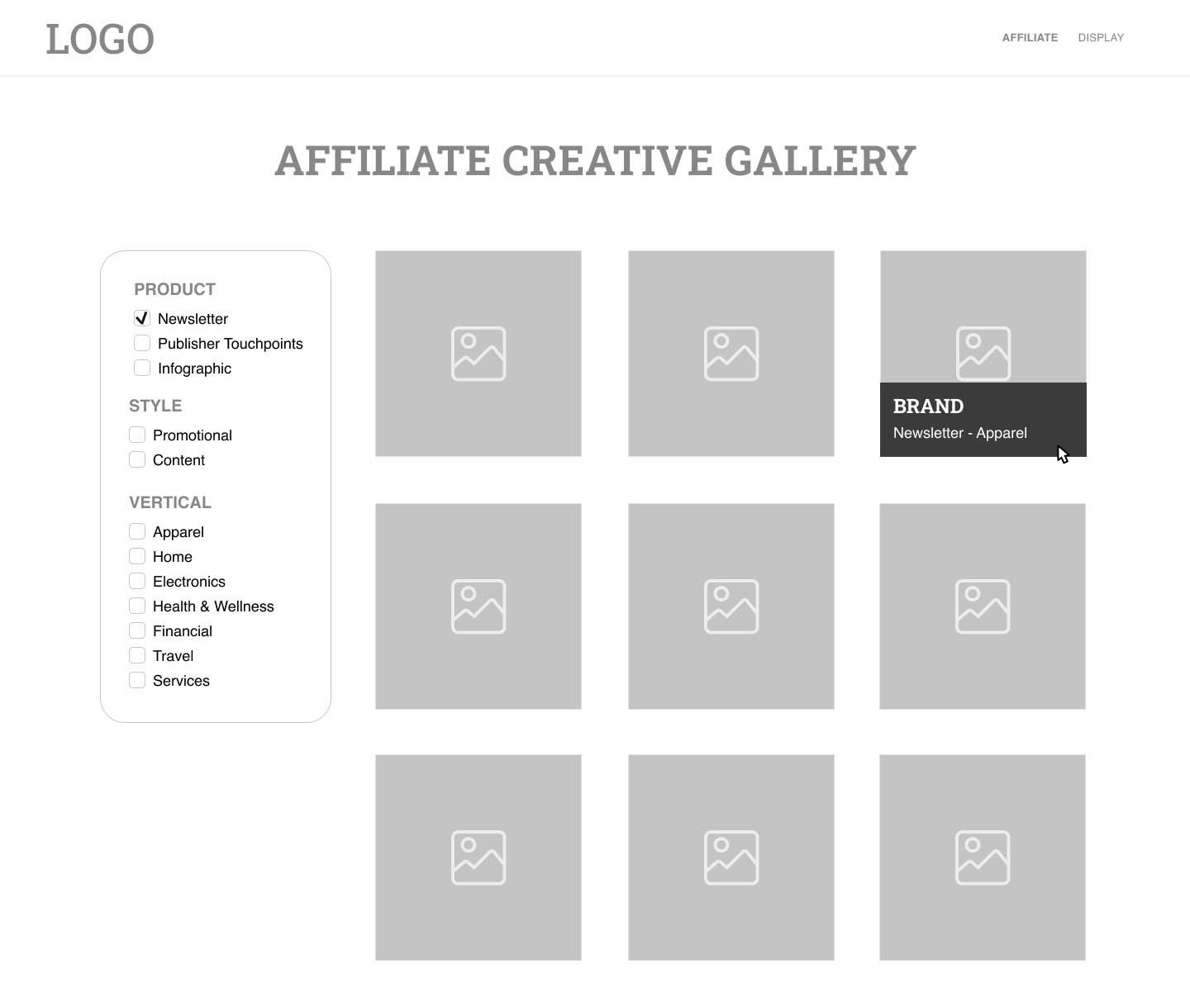
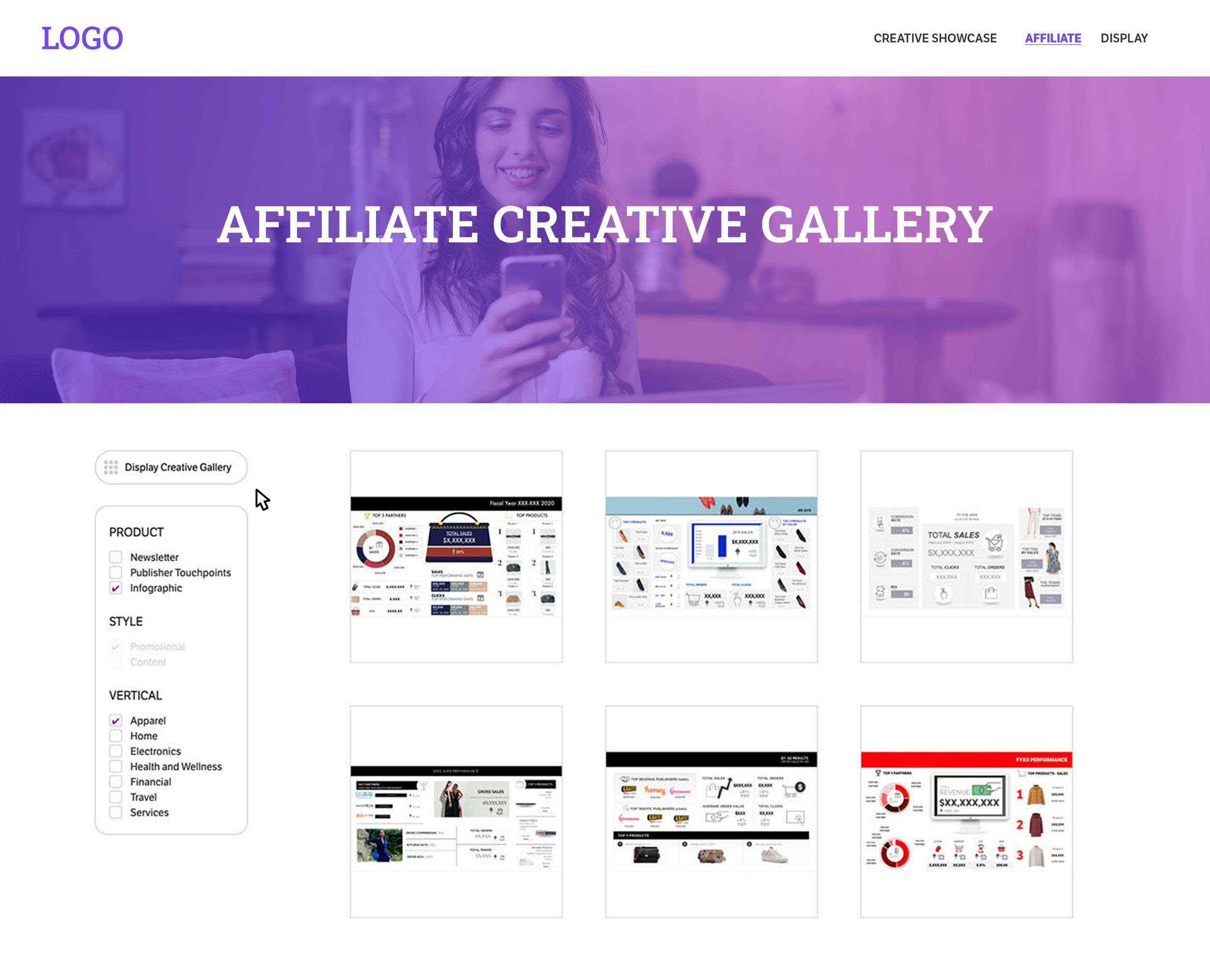
Creative gallery
Filter allows user exploration and freedom to view by product, style, and vertical
Hover states reveal sample details
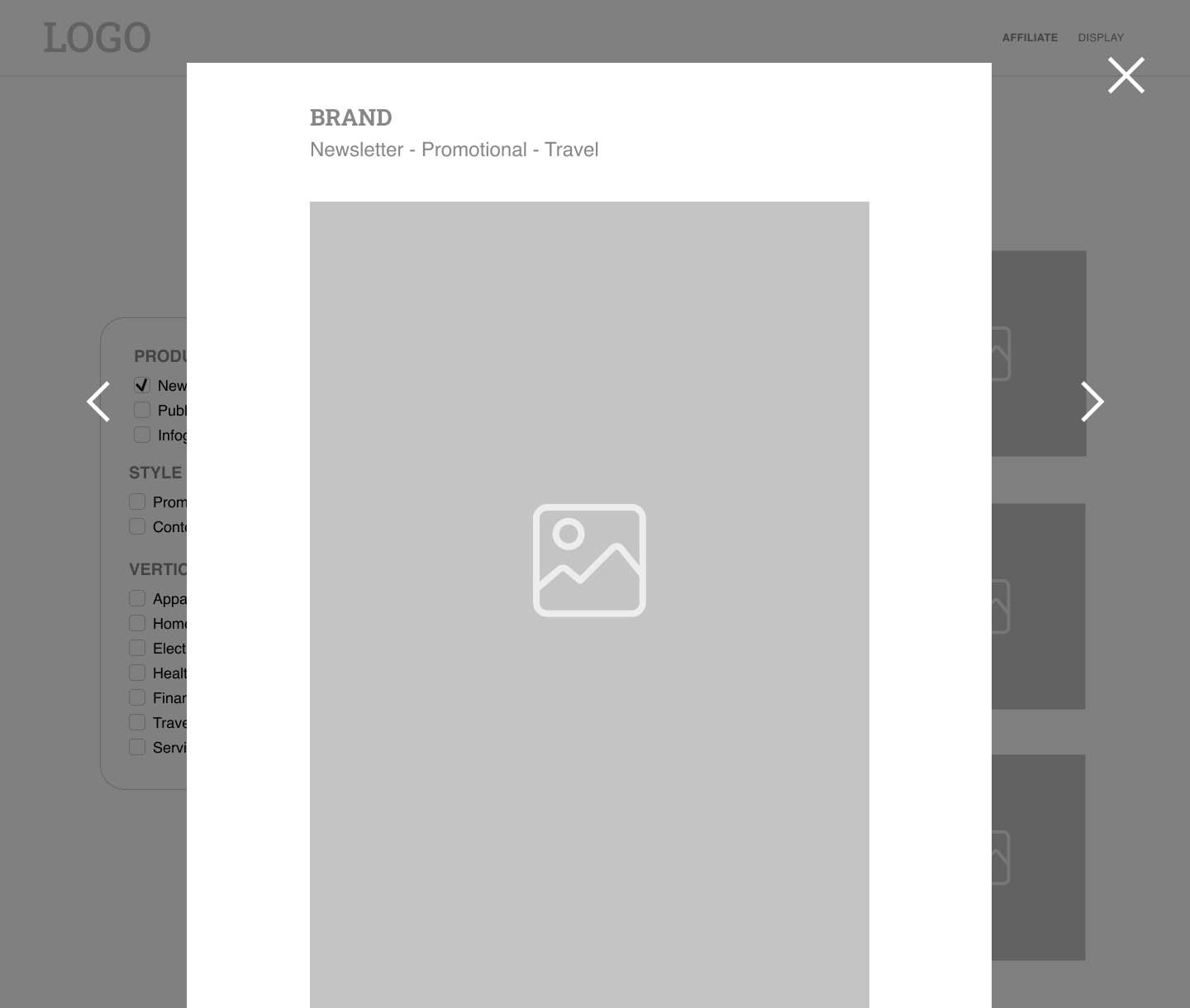
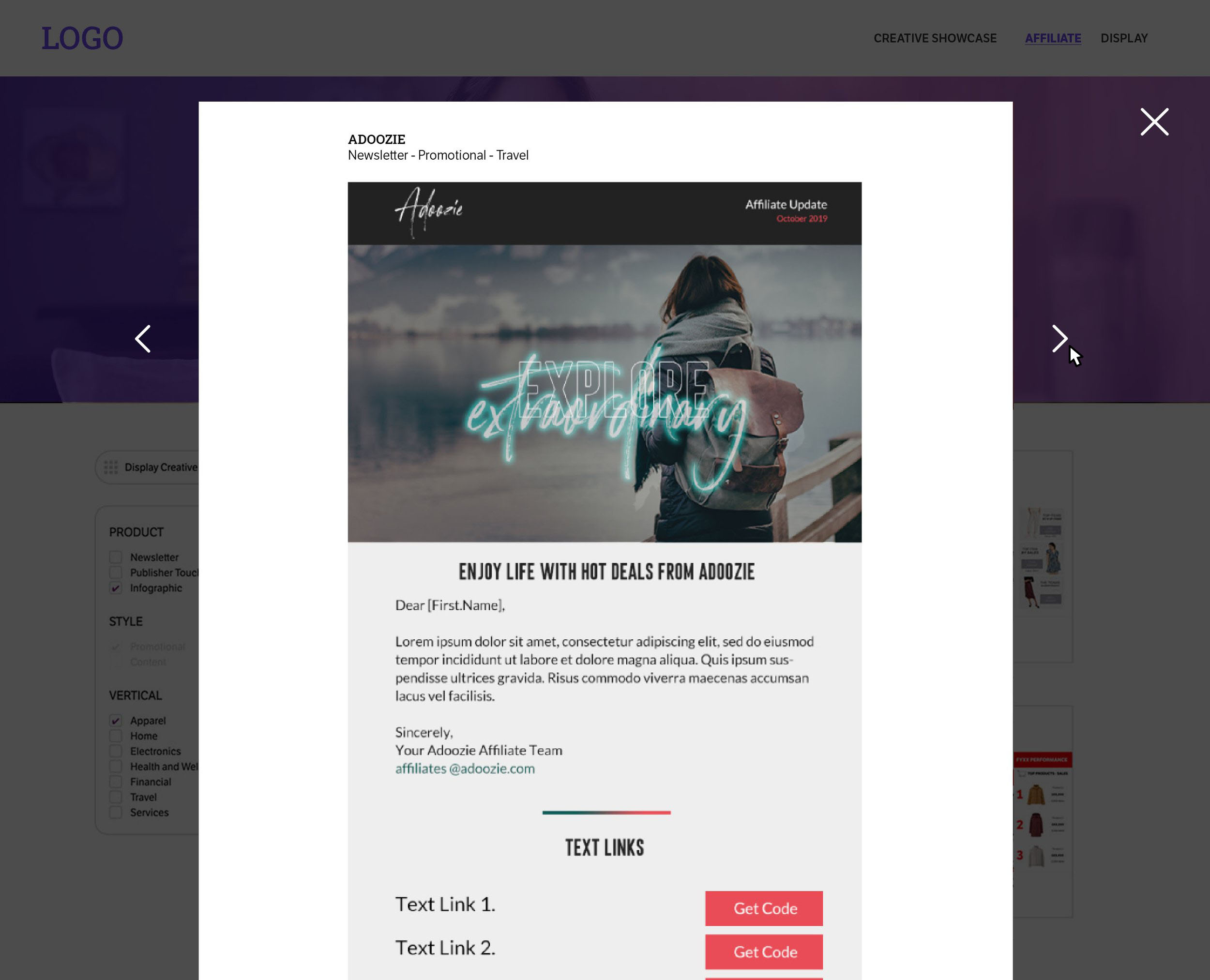
Lightbox Experience
Full view of creative work
Creative details (type, vertical)
Easily skip between pieces
Design & brand implementation
Design
As the brand lead, I applied the new brand guidelines consistently across the microsite.
I collaborated closely with the video team to ensure their content also adhered to brand standards to ensure a cohesive user experience.
Development
After the design was completed in Figma, the dev team brought the microsite to life, transforming the wireframes into a fully functional prototype.
User-testing insights
Research Methodology
Each UX/UI team member conducted 2-3 independent user tests with internal candidates. We scheduled individual meetings, followed a consistent script, and recorded sessions for reference.
Participants: 8 internal candidates
Duration: 30 minutes
Method: Task-based usability testing on WordPress staging prototype
Documentation: Shared analysis document for comprehensive team assessment
Key tasks tested
Locate product offerings for specific channels
Filter and view targeted creative examples
Navigate between different service samples
Return to the homepage efficiently
Analysis
Each team member documented their learnings on a shared Google doc for a comprehensive group assessment.
Results
Usability Issues
Video: Some participants said the hero videos on the service pages were overwhelming

Video: Rather than autoplay videos, introduce static hero images with a CTA to play videos
Gallery Filters: Participants asked for the option to select or deselect all filters
Gallery Filters: Consider adding a checkbox to select/deselect all + explore deep linking options
Bugs
Load times: The Display gallery loads slowly
Load times: Troubleshoot speeding up the load times–set the default to fewer items, utilize lazy loading
General errors
Internal jargon: Some services were labeled with internal terms that clients might not understand
Avoid internal jargon: Generalize titles and labels
Improper labeling: Participants noted that certain services were only available for high-tier clients, and some examples had incorrect tags
Ensure proper labels and categories for each sample
Final design highlights
Homepage
Branded like the public website
Company request: The marketing team requested that the logo hyperlink to the main website
Solution: We added the “Creative Showcase” link to the navigation
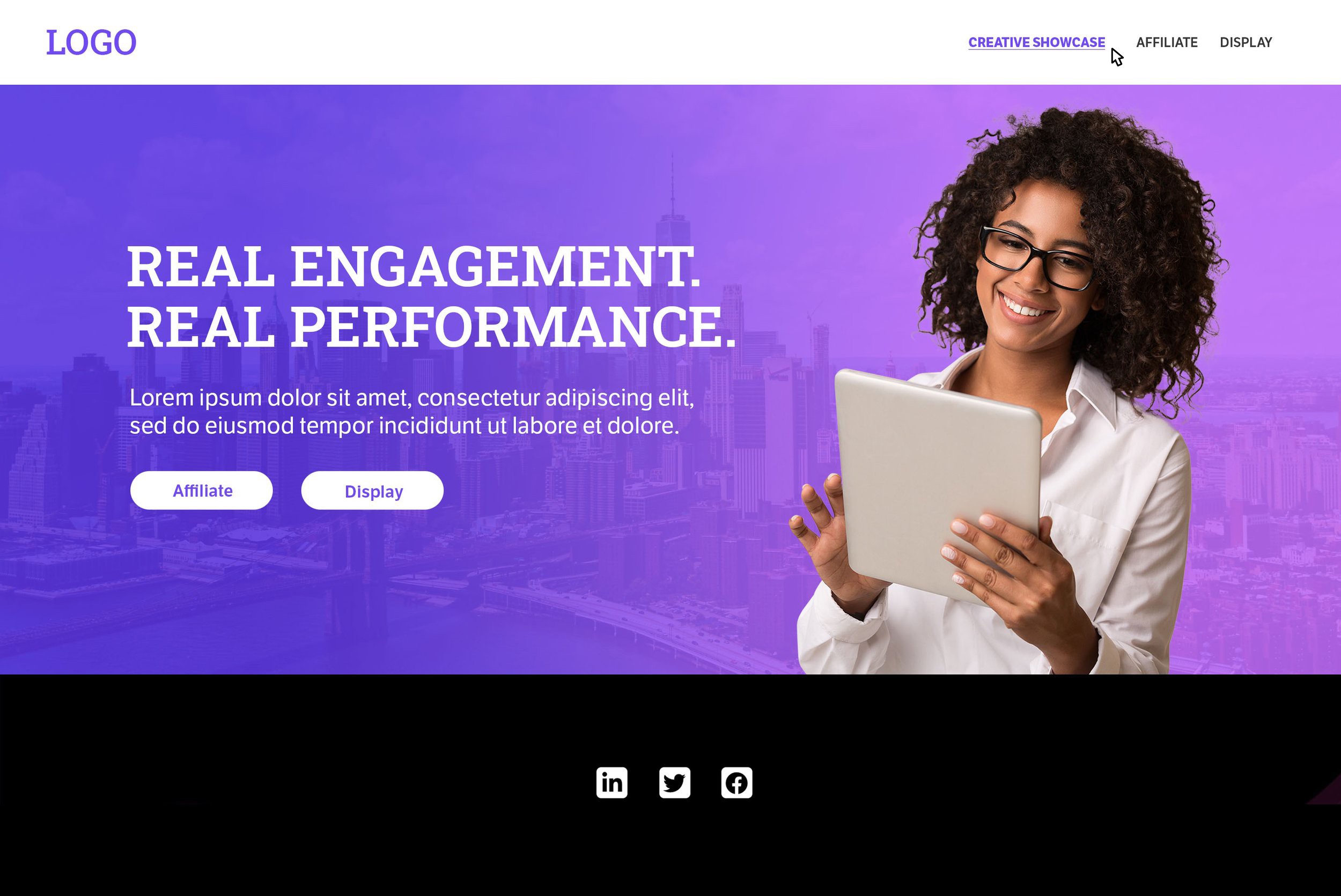
Service landing pages
Gallery pages
Company request: Include a CTA that toggles between both channels' galleries
Each sample opens a lightbox to show more detail
Lightbox
Arrows allow users to click through samples
Scroll to view full communication
Key takeaways

Cross-functional communication is essential
Stay engaged with adjacent teams and connect often

Testing a live website…
can reveal insights that prototypes might not uncover

Documentation is essential for a project’s health
It helps maintain continuity as team members join and leave
Limitations
We tested with internal clients for usability, performance, and perception, but did not test external clients due to privacy
Tech limitations prevented certain user requests
Future Work
Consider a second testing phase to connect with external clientele in the network
Since launch, the company has rebranded and this tool must be updated to reflect current branding